

Strava — Full Breakdown
Strava records sports activities and places them inside a social layer of feeds, followers, clubs, challenges, and segment rankings. The app asks a user to record an activity, then connects that activity to other users through following, kudos, comparison, and shared challenges. Its rankings are scoped to individual segments and to rolling 90-day windows rather than to the whole user base, and its streak is counted in weeks rather than days. A large share of the deeper tracking and mapping features is paywalled and becomes available after the user subscribes.
Six mechanics carry the loop
The core loop
A user records an activity and saves it with a name, a visibility setting, photos, gear, and an effort rating. Saving it publishes an item to the home feed, where other users can give kudos or leave a comment. The same saved activity advances the weekly streak, counts toward any challenge the user has joined, and can produce a trophy for reaching an activity count or a personal record for a best effort. If the activity covered a segment, it can also place the user on that segment's ranking. Clubs sit alongside this loop, organising challenges and carrying their own feed. The system is built around the principle that one recorded activity feeds every other mechanic. Strava only needs to ask for that single action to set the whole system in motion.
What was observed
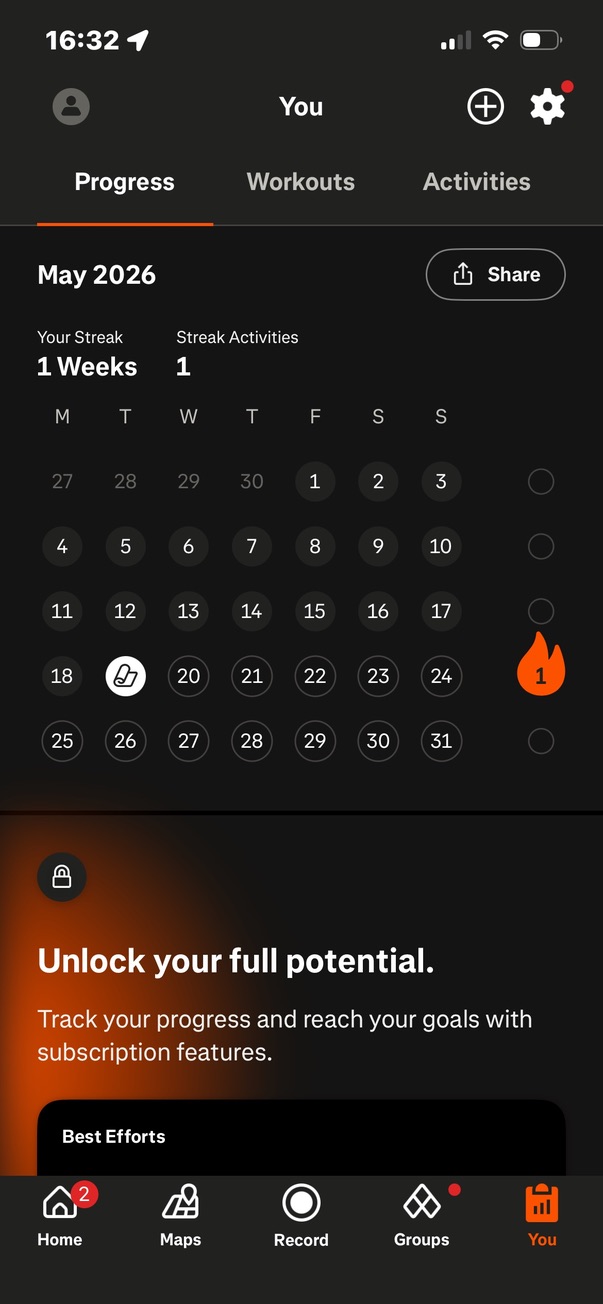
Strava counts its streak in weeks rather than days, so the state depends on logging an activity inside a 7-day window rather than on returning every day. The streak sits on the home dashboard as your streak, a flame icon with the count enclosed in it, reading zero weeks on a new account. The copy beside it states how to begin, by logging an activity. A view calendar button opens a fuller screen showing the streak activities and the current streak for the month, together with performance across the previous 12 weeks. The qualifying event is recording an activity, the same action the rest of the app is built around.
How it is presented
For fresh users, the streak is highlighted at the top of the home dashboard, as the first item in a carousel of relevant information for the user. It has a section of its own in the user's progress tracking part of the app, where the user can see their current streak in weeks and their recorded activities for the month. A share button lets the user choose between a number of pre-set visuals to share the streak with people outside the app.
What is worth noting
The weekly period is the choice worth noticing. Strava counts weeks on a streak, so a user keeps the state through activity within a week instead of a daily return. The calendar view sets the current count against 12 weeks of prior performance, so the number arrives with history behind it rather than alone.
Key findings
- Strava measures the streak in weeks, so the state is kept by logging one activity inside a 7-day window.
- The qualifying event is recording an activity, which is the same action the rest of the app is built around.
- The calendar view shows the current streak against performance from the previous 12 weeks.
What was observed
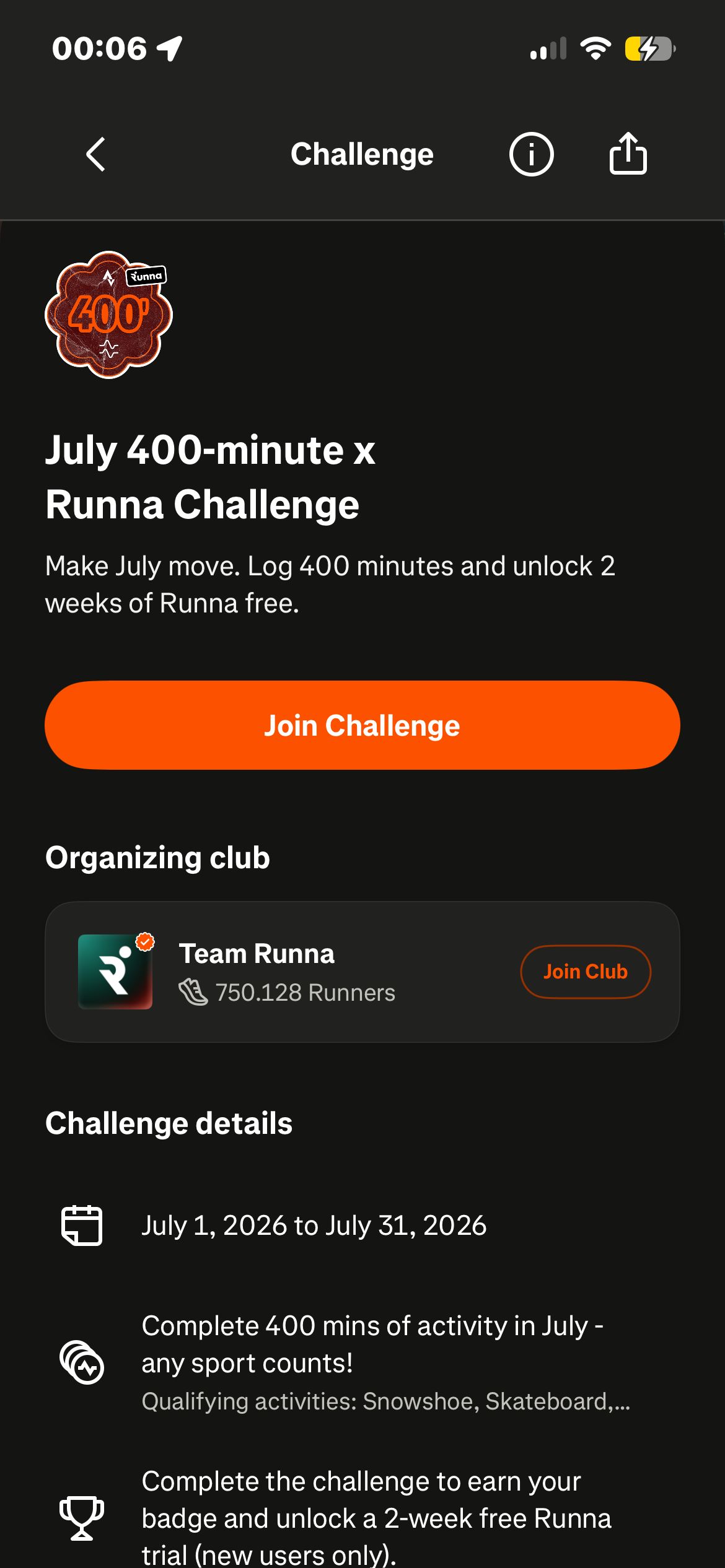
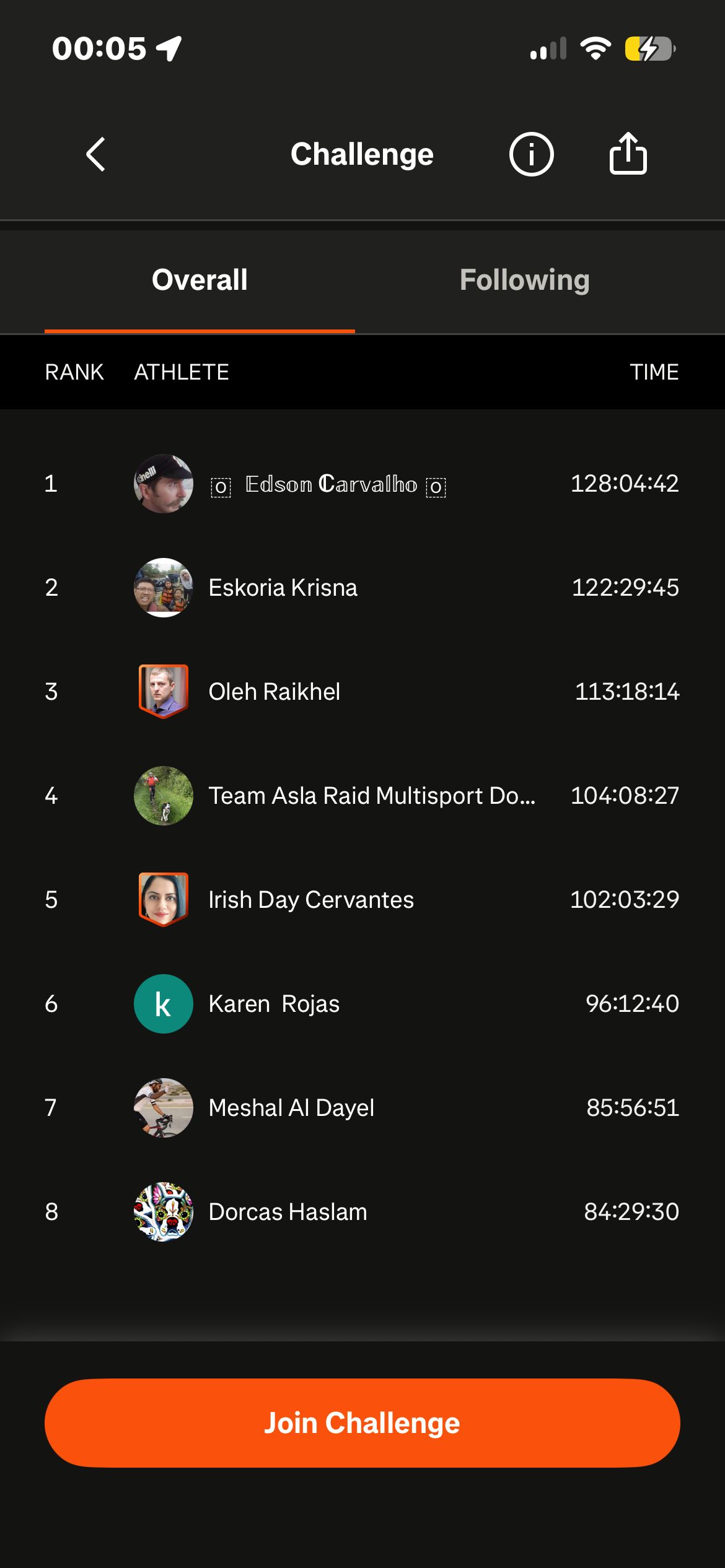
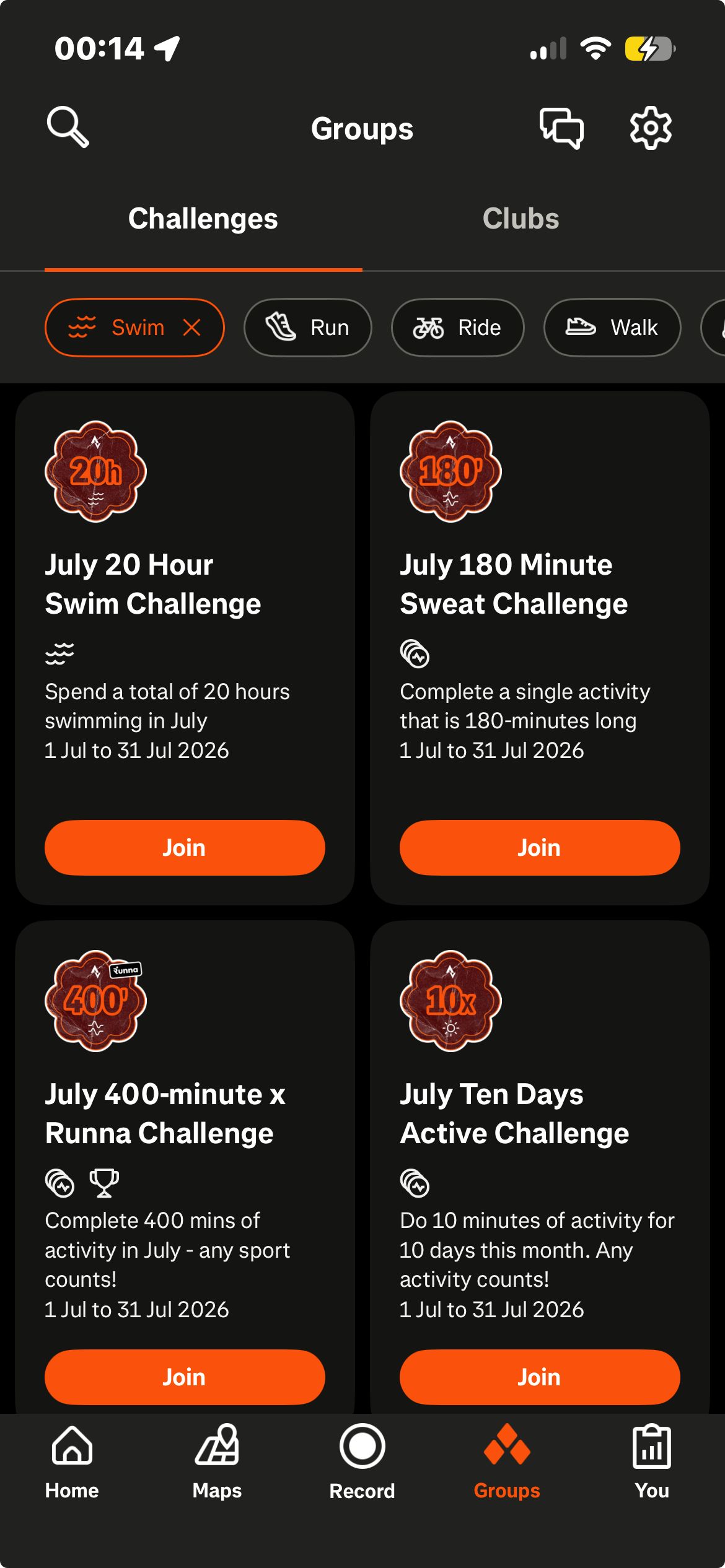
Strava runs many challenges at once and varies the shape of the goal rather than only its size. Within a single month we saw challenges asking for 400 minutes of running, a first 5 km run, 10 active days in a row, and 180 minutes of sweat, alongside others built around swimming, elevation, steps, and a half marathon. Joining takes one tap. Each challenge has its own page carrying the days left, the club organising it, what the challenge asks for, what is earned, and a leaderboard of the users taking part. Completion rewards are frequently digital trophies. Several challenges are organised with named partners, including Runna, Hoka, and Brooks, and the 400 minute running challenge unlocks a 2-week Runna trial on completion. Creating a group challenge or designing a custom challenge is available to subscribers.
How it is presented
Challenges appear in two places, as a scrollable set of suggested challenges on the dashboard and as a dedicated tab in the Groups area, where they can be filtered by activity type, elevation gain, moving time, and distance. Featured challenges display how many users have joined, and the larger ones we saw carried more than 1 million participants each.
What is worth noting
The variety is the design choice worth noticing. The challenges running in one month span total time, a single first distance, consecutive active days, elevation, steps, and swimming, so the set covers several sports and several shapes of goal rather than one. Each challenge states a success condition and a fixed boundary, the first to the last day of the month, so completion is unambiguous. The partner challenges attach a reward that exists outside Strava, a trial of a partner product, alongside the digital trophies the other challenges award.
Key findings
- Strava varies the shape of the goal across a month of challenges, covering total time, a first distance, consecutive active days, elevation, steps, and swimming.
- Every challenge states both a success condition and a fixed boundary, so a participant can tell whether they finished.
- Joining takes one tap, and each challenge page carries the days remaining, the organising club, and a leaderboard of participants.
- Completion rewards are usually digital trophies, while the partner challenges add a trial of a partner product.
What was observed
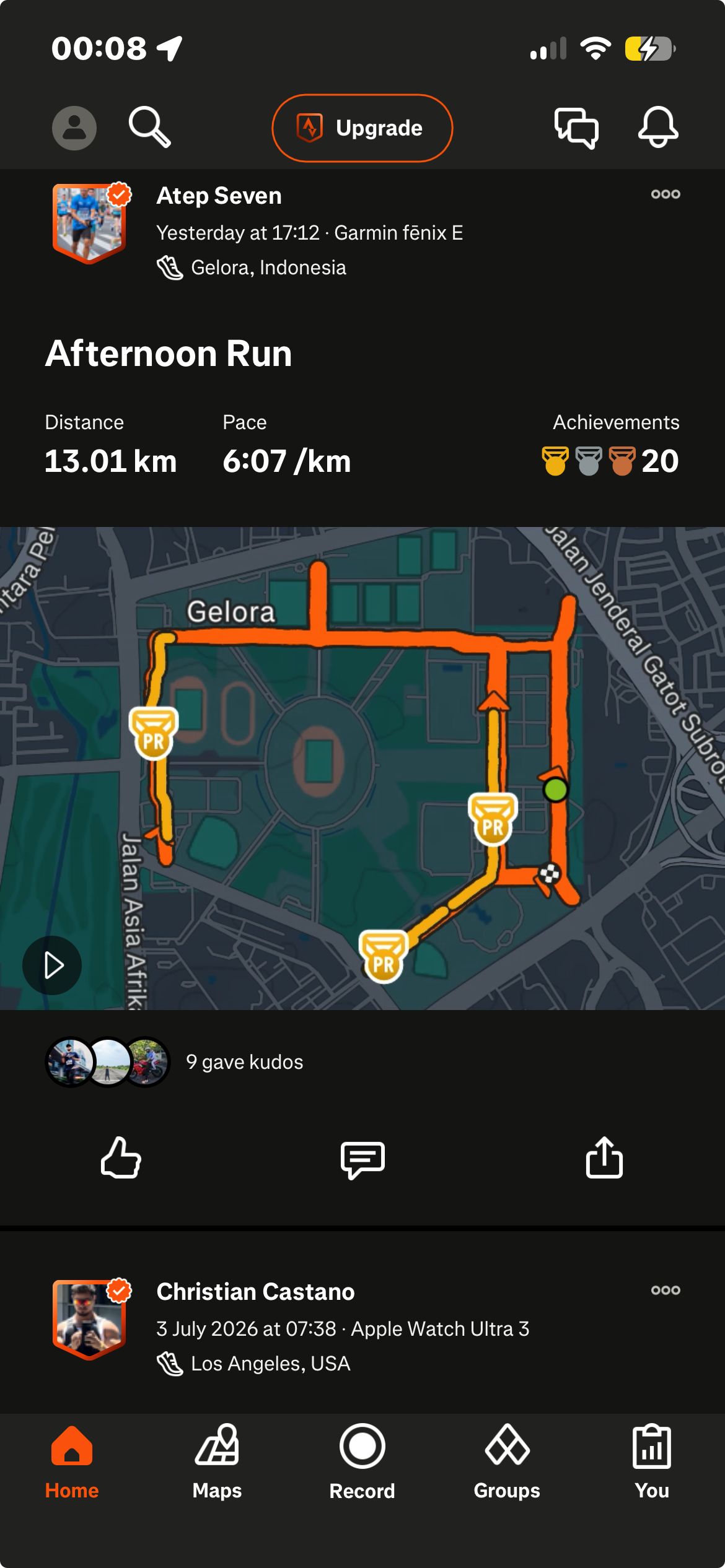
Strava builds its feed out of recorded activities rather than written posts, so items appear without anyone composing them. Each item carries the user, the activity data, and any media attached to it. One item we saw showed a ride of almost 34 km with its route, elevation gain, time, and photos, and another carried a video. Every item can take kudos, a one tap reaction, or a comment, and shows how many of each it has already collected along with how many achievements the user holds. The top of the feed is given to recommended users the viewer does not yet follow. Activities can also be kept out of it, since the visibility controls include not publishing to the home or club feed.
How it is presented
The feed occupies the lower portion of the home dashboard as one vertically scrolling stream, mixing recommended users with activities from those the viewer follows and from other users. Each item shows the user, the activity data, any photos or video, and the counts of kudos and comments it has received.
What is worth noting
Generating items from recorded activity removes the step where a user decides what to post. The activity is the content, and it is complete before sharing is considered, with route, distance, elevation, time, and media already attached. Kudos is a one tap reaction, a lighter form of response than writing a comment, and both counts sit on every item. Placing recommended users above the followed activity means an account that follows nobody still opens to a populated stream.
Key findings
- Strava builds feed items automatically from recorded activities, so the feed fills without anyone composing a post.
- Each item arrives complete with route, distance, elevation, time, and any photos or video from the activity.
- Kudos is a one tap reaction and a lighter form of response than a comment, with both counts visible on every item.
- Recommended users sit at the top of the feed, so an account that follows nobody still opens to a populated stream.
What was observed
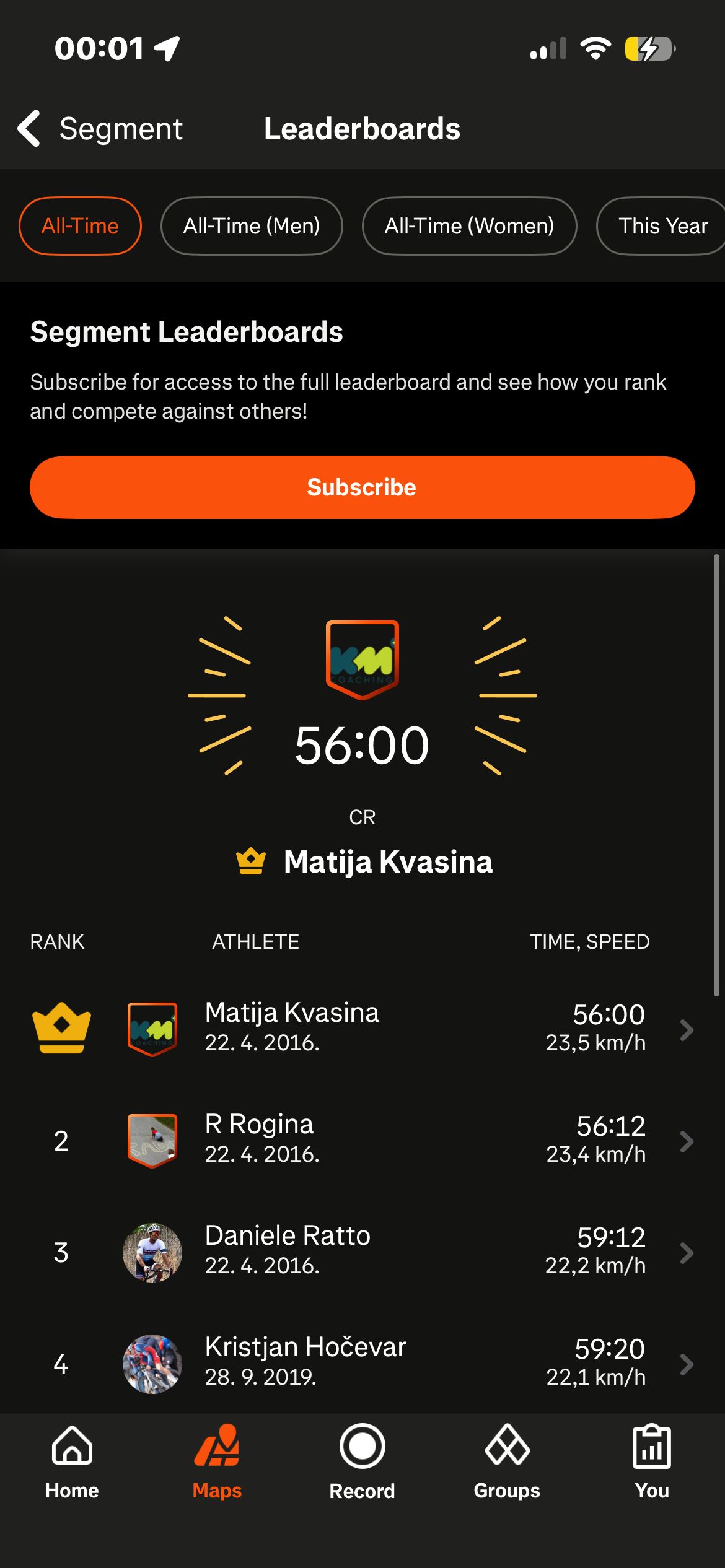
Strava scopes its rankings to a single stretch of road or trail rather than to the whole app, so a user is compared with the users who covered the same ground. Segments carry ordered lists of the users who have run or ridden them, and the app also states where a user stands personally. A Local Legend title marks holding the most efforts on a segment over the previous 90 days, a top 10 view collects the segments where the user places in the first 10, and CRs are the segments where the user holds the best overall time. Challenges carry their own leaderboards, ordering participants by the measure the challenge is built on, such as pace, distance, or steps. Strava also offers a notification for losing a top place, listed in settings as lost CR and lost ratings. Segment leaderboards and best efforts are available to subscribers, so we did not reach the full extent of ranking on a free account.
How it is presented
Rankings appear as ordered lists inside segment views and on each challenge page, with the measure the ranking uses shown beside each participant. A user's own position is presented separately as a named standing rather than only as a row in a list, with Local Legend, a top 10 collection, and CR holder attached to segments and to a 90-day window.
What is worth noting
Two different things run side by side here, and Strava keeps them apart. The ordered list shows the field, and the named standing states where a user sits in it. Local Legend is the more unusual of the two, because it ranks by how many times someone covered a segment over a rolling 90-day window rather than by how fast they covered it, which makes the top place on a segment a matter of repetition rather than speed. The lost place notification shows the standing is built to be losable, since another user's result can take it.
Key findings
- Strava scopes its rankings to individual segments, so the comparison set is the users who covered the same ground.
- Local Legend ranks by number of efforts over a rolling 90-day window, which makes the top place a matter of repetition rather than speed.
- The app presents a user's own standing as a named title, separately from the ordered list it comes from.
- Segment leaderboards and best efforts belong to the subscription, so the free tier shows only part of the ranking system.
What was observed
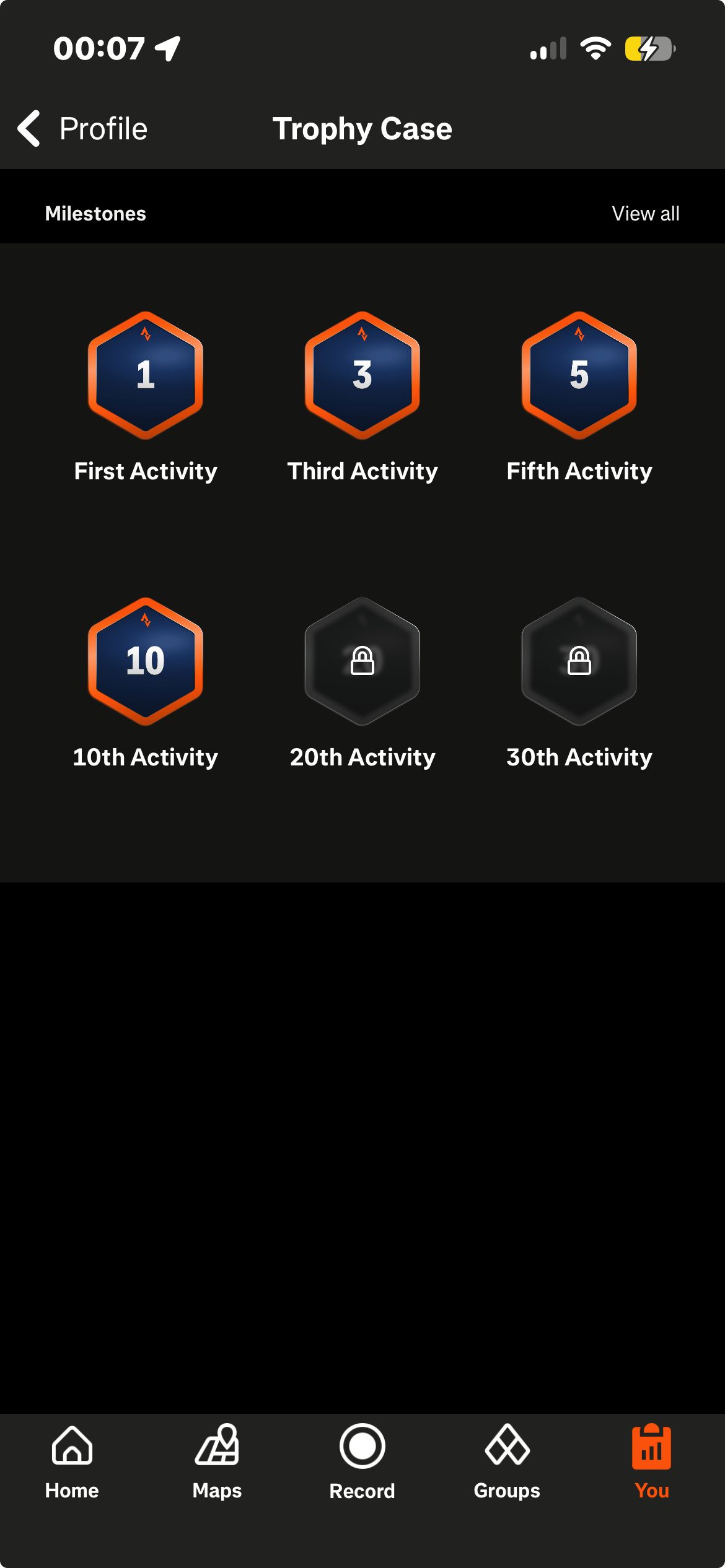
Strava places its first recognitions close to the start. The trophy case opens with the 1st activity, then the 3rd, the 5th, and the 10th, and the same ladder continues up to 1,000. The first trophy arrives immediately after the first activity is saved, as a pop up welcoming the user and marking the activity, offering a choice between viewing the activity and viewing the new trophy in the case. Alongside these count based trophies, Strava marks personal records against a user's own history, and after the first saved ride the app showed a personal record badge reading new best effort, longest ride ever. Completing a named challenge adds a digital trophy to the same case. Other users' profiles display how many trophies they hold and at what grade, with counts such as 53 trophies and 10 silver among the ones we saw.
How it is presented
The trophy case sits at the bottom of the profile, with a view all listing that runs the thresholds up to 1,000 activities. A personal record attaches to the activity that earned it rather than living only in the case. The first activity is marked with a celebratory animation and the welcome pop up, which offers the trophy case as one of its two next steps.
What is worth noting
The spacing of the early thresholds is the notable part. 1st, 3rd, 5th, and 10th activity sit close together at the beginning of a ladder that runs to 1,000. Strava also runs two kinds of recognition next to each other. The trophy case counts activities, a measure that only accumulates. The personal record compares a result against the user's own previous results, so that recognition does not depend on how the user compares with other users. The first trophy is given for the first activity, which puts the first recognition at the same moment as the first use of the core action.
Key findings
- Strava's trophy case starts at the 1st activity and marks the 3rd, 5th, and 10th before continuing to 1,000.
- The first trophy is awarded for the first saved activity, so recognition begins at the same moment as the core action.
- Personal records are measured against a user's own previous results, so this recognition does not depend on comparison with others.
- Challenge completions add their digital trophies to the same case, putting two sources of recognition in one place.
What was observed
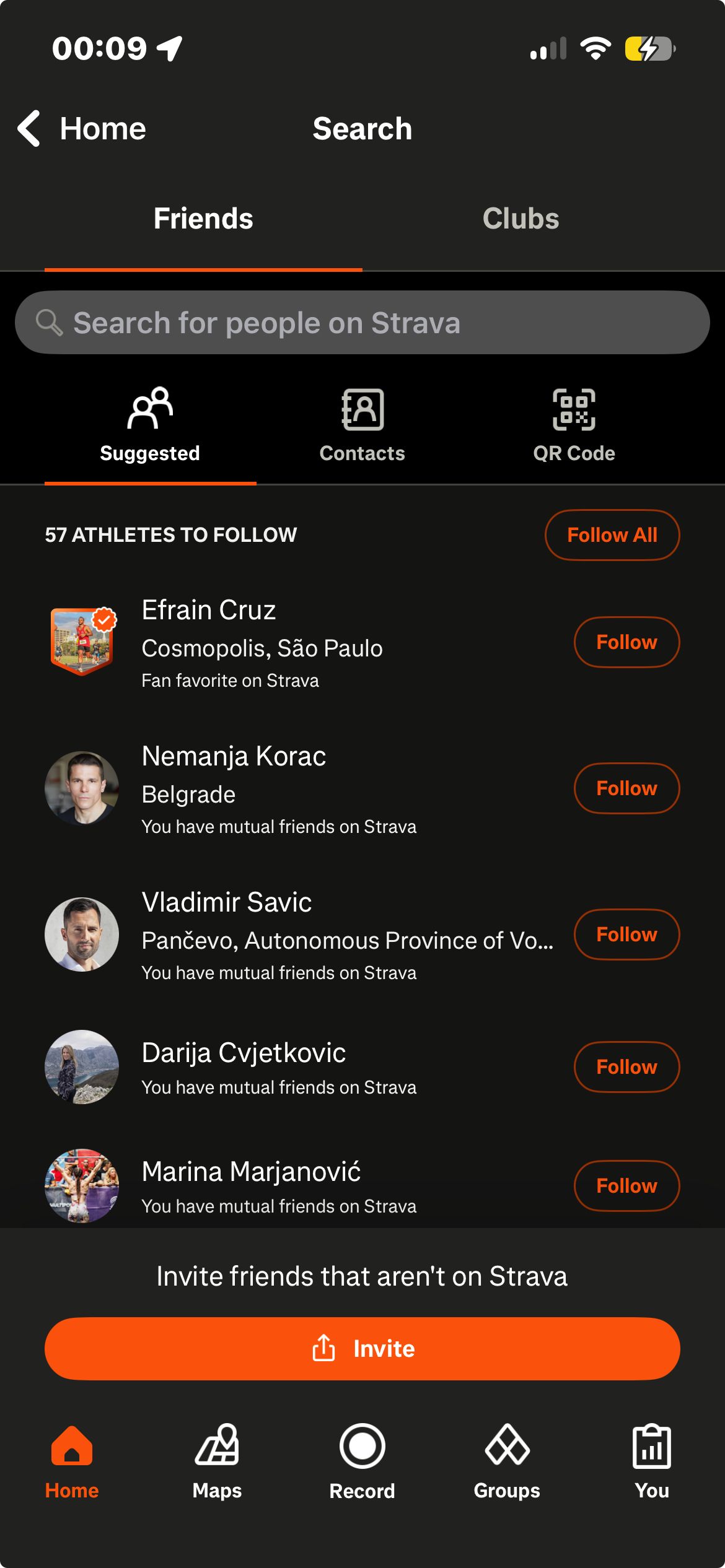
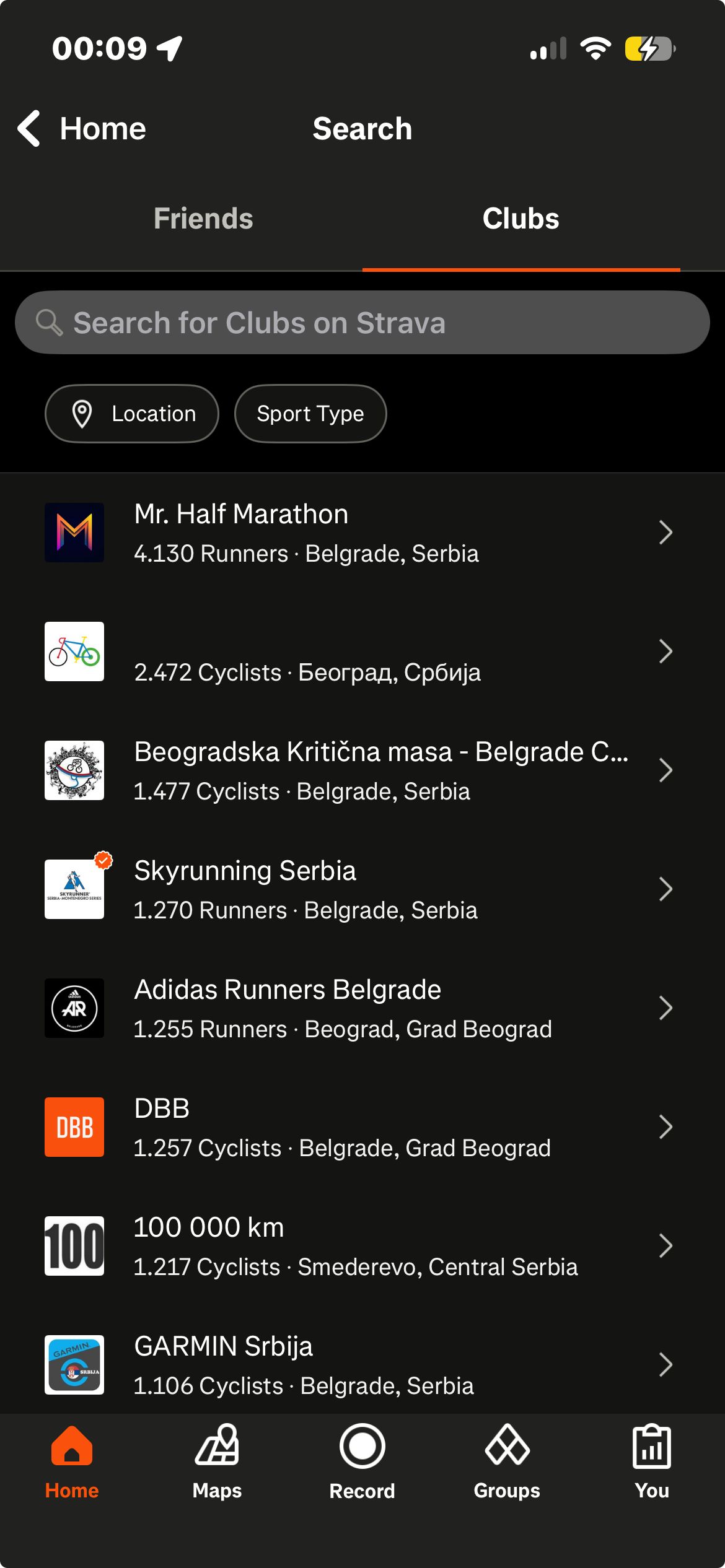
Strava lets any user create a club and gives the creator the controls that decide who gets in. The creation flow runs through 5 steps, choosing the club's sport, picking up to 3 tags describing what the club is for, such as local community, team, or coach led, setting the name, photo, and description, choosing whether the club is public or private, and setting a location. A private club requires users to request permission, and only admins approve new members. Clubs are found through a searchable directory filtered by location and sport, which returned dozens of clubs in the area we searched, and their sizes range widely, with the main Strava club listing almost 7 million members. A club page shows its sport, member count, type, events, activities, stats, and posts, and members can create club events with attendance controls. Creating a group challenge inside a club is available to subscribers.
How it is presented
Clubs appear as a tab in search and as their own area under Groups, presented as a browsable directory. Each club carries a member count and its public or private state, so the size and the entry rules are visible before joining. The creation flow gives the public or private decision its own step, with the consequence stated on that screen.
What is worth noting
The governance controls are the part worth noticing. Strava does not only let a user join a club, it lets them run one, and the private setting with admin approval gives a club a real boundary rather than a label. The tags cover a wide range of purposes, from local community groups to teams, brands, and coach led groups, so one structure serves several different kinds of gathering.
Key findings
- Any user can create a club, and the creation flow includes the decision of whether membership is open or requires admin approval.
- Club discovery is filtered by location and sport, so the directory can surface groups in a user's own area.
- Club pages carry events, posts, activities, and a member count, giving a club its own surface separate from the main feed.
- Creating a group challenge inside a club belongs to the subscription.
Where the mechanics meet
Challenges Leaderboards
Each challenge has a leaderboard of the users taking part, ordered by the measure that challenge is built on. Joining a challenge places a participant in a ranked set for the length of that challenge.
Community / Groups Challenges
Many of the challenges are organised by clubs, and a challenge page names the club running it. Club membership is one of the routes through which challenges reach a user.
Community / Groups Social Feed
A club has a feed of its own alongside the home feed, and the activity visibility controls name both. A club gives its members a posting surface separate from the main feed.
Streak / Streak Bonus Challenges
The streak advances when a user logs an activity, and the same saved activity counts toward any challenge they have joined. A single recorded activity moves more than one part of the system at once.
What the system teaches
The single most instructive observation
The whole system is fed by one action. Strava does not ask a user to post, to check in, or to complete a separate daily task. It asks them to record an activity, and that one event advances the streak, fills the feed, counts toward challenges, can produce a trophy or a personal record, and can place the user on a segment ranking. The mechanics are layered onto the action the product already exists to perform rather than added beside it.
What makes the system work
Strava keeps its comparisons close to the user. Segment rankings compare users who covered the same stretch of ground, Local Legend counts efforts over a rolling 90-day window rather than all time speed, and personal records compare a result against a user's own history rather than against anyone else. The streak is counted in weeks rather than days, and the first trophies arrive at the 1st, 3rd, and 5th activity. Each of these choices narrows the comparison or shortens the interval rather than widening it.